Powering On
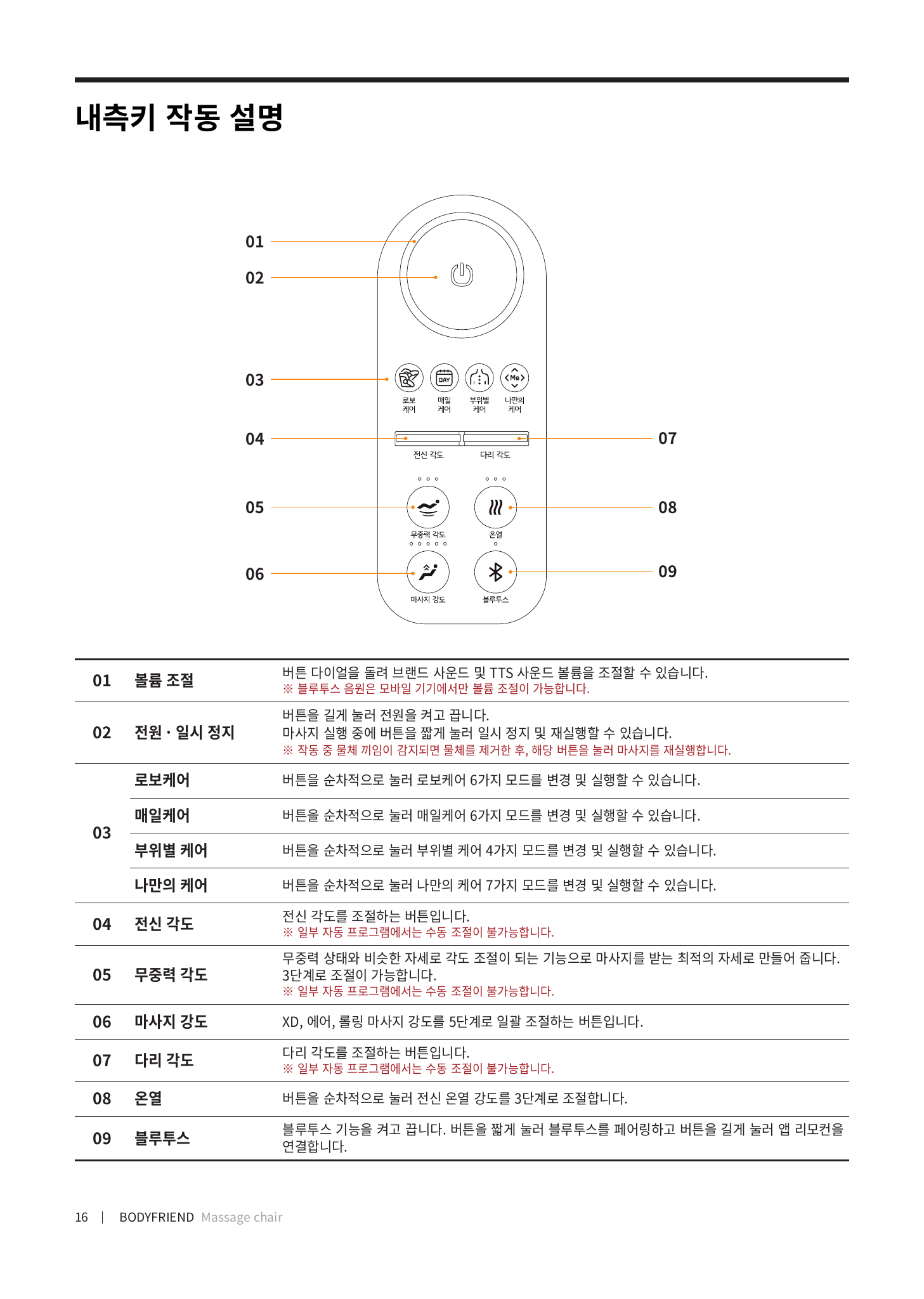
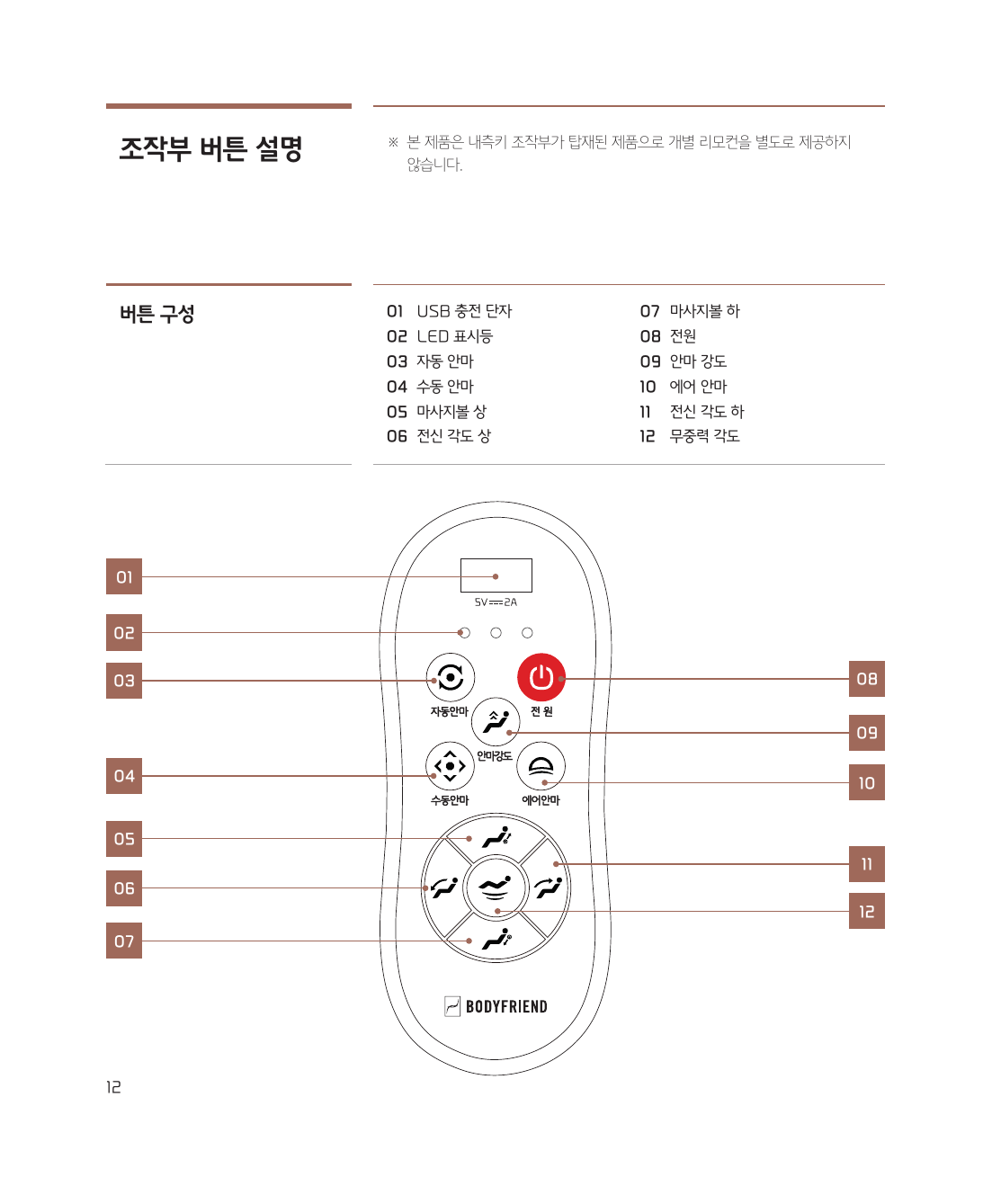
Press and hold the power button on the inner-side control (inside the armrest) to turn the chair on.
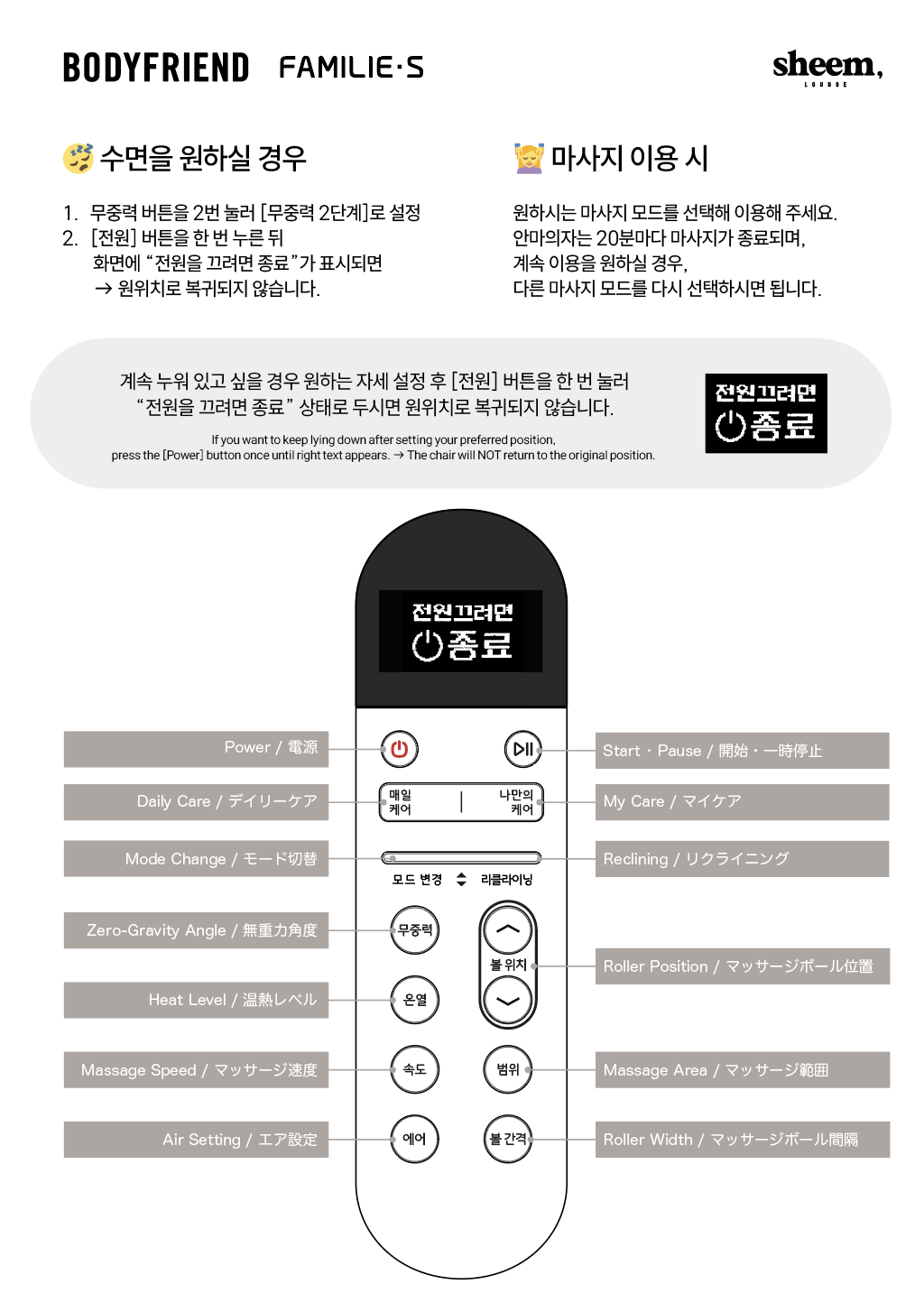
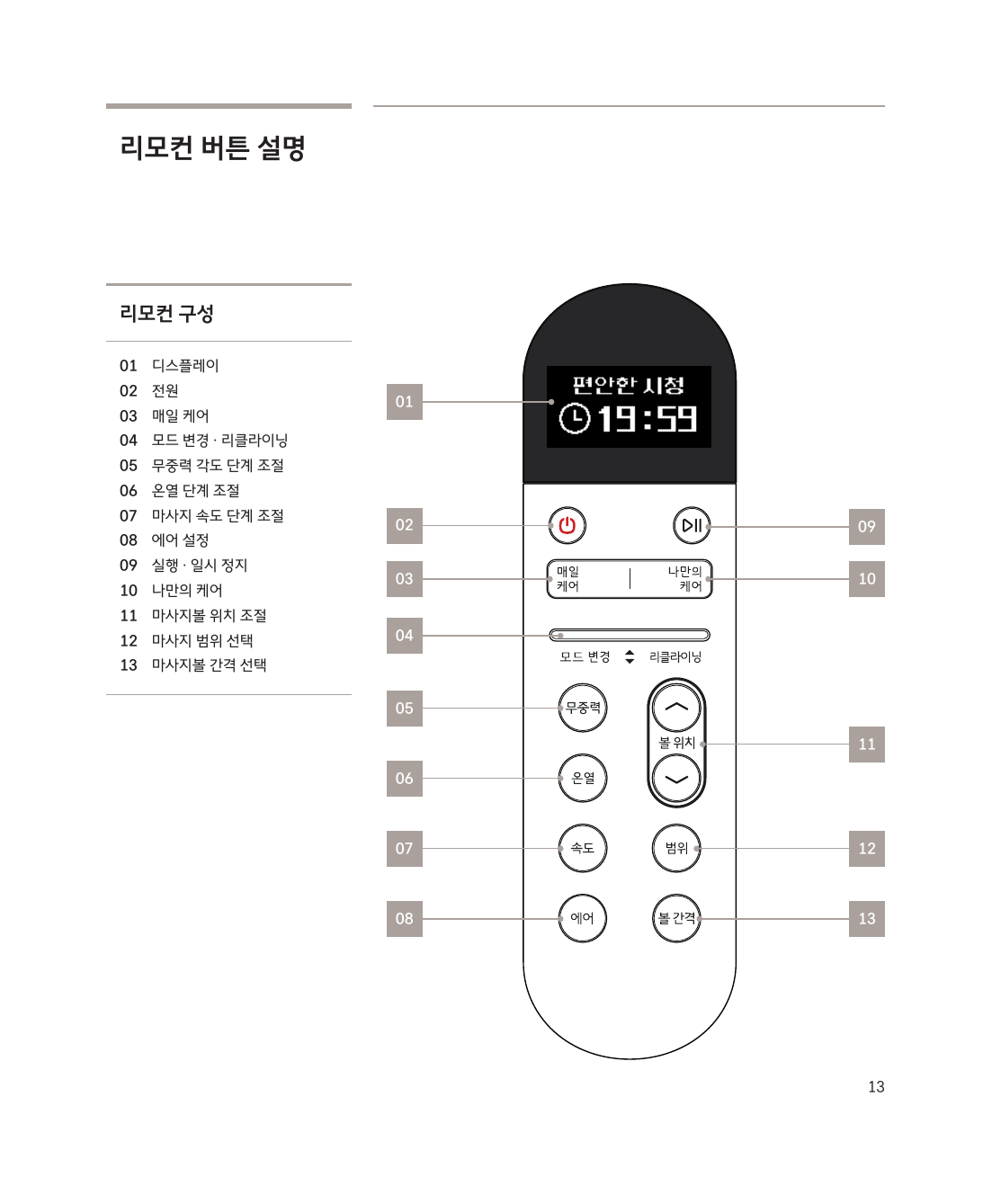
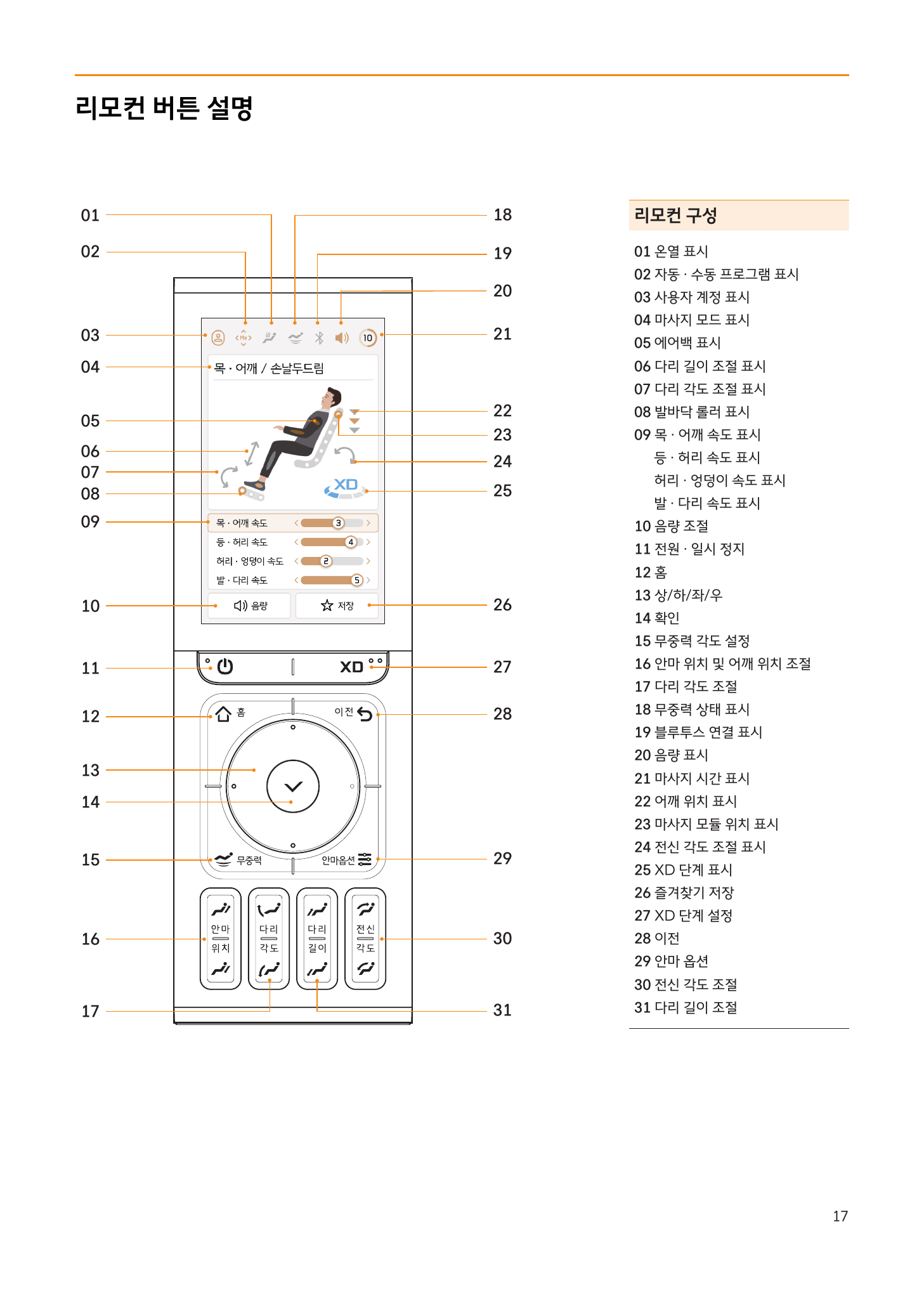
Remote Control Layout
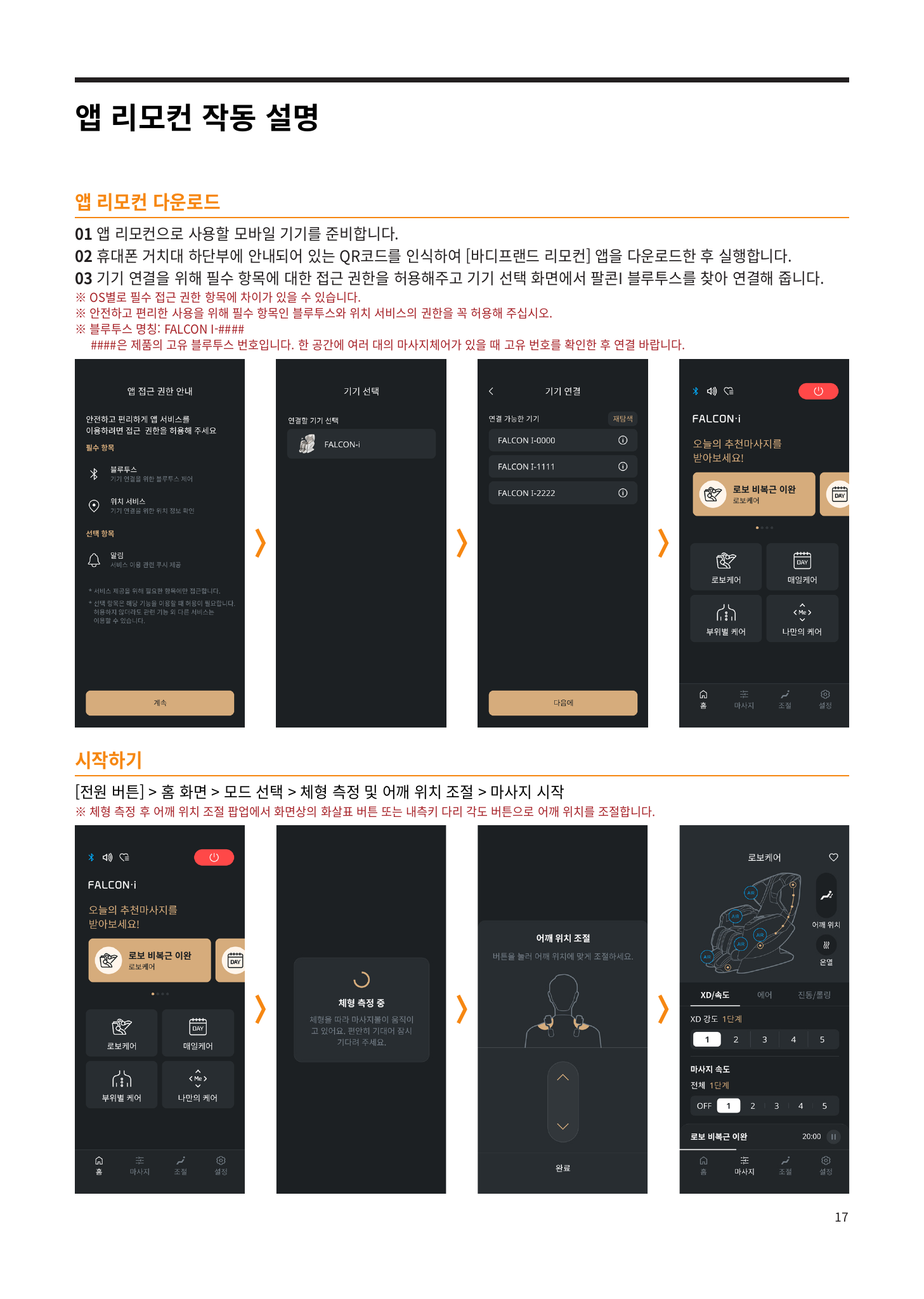
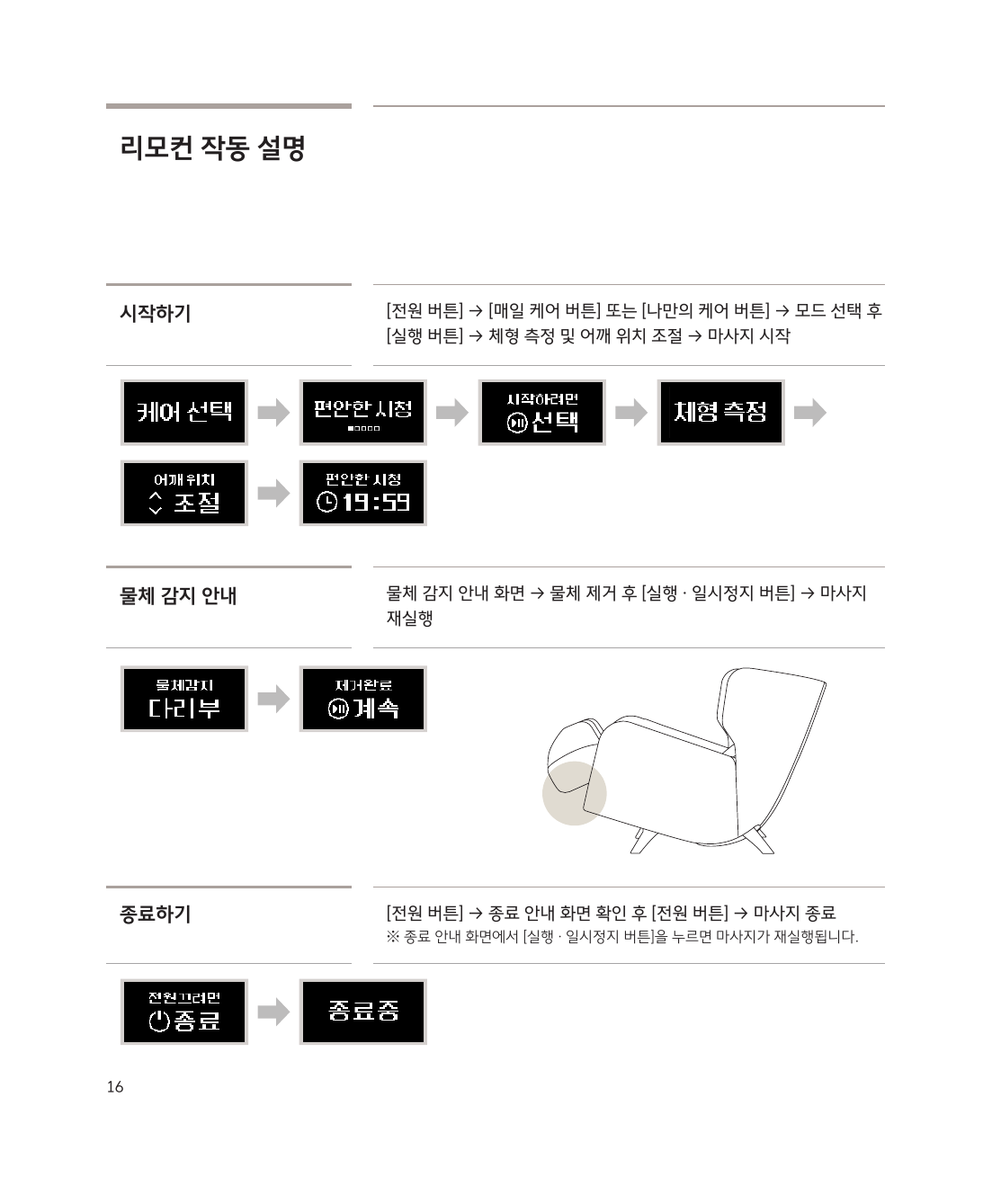
Getting Started
Power → Select a mode, then press OK → Body scan → Adjust shoulder position → Massage starts
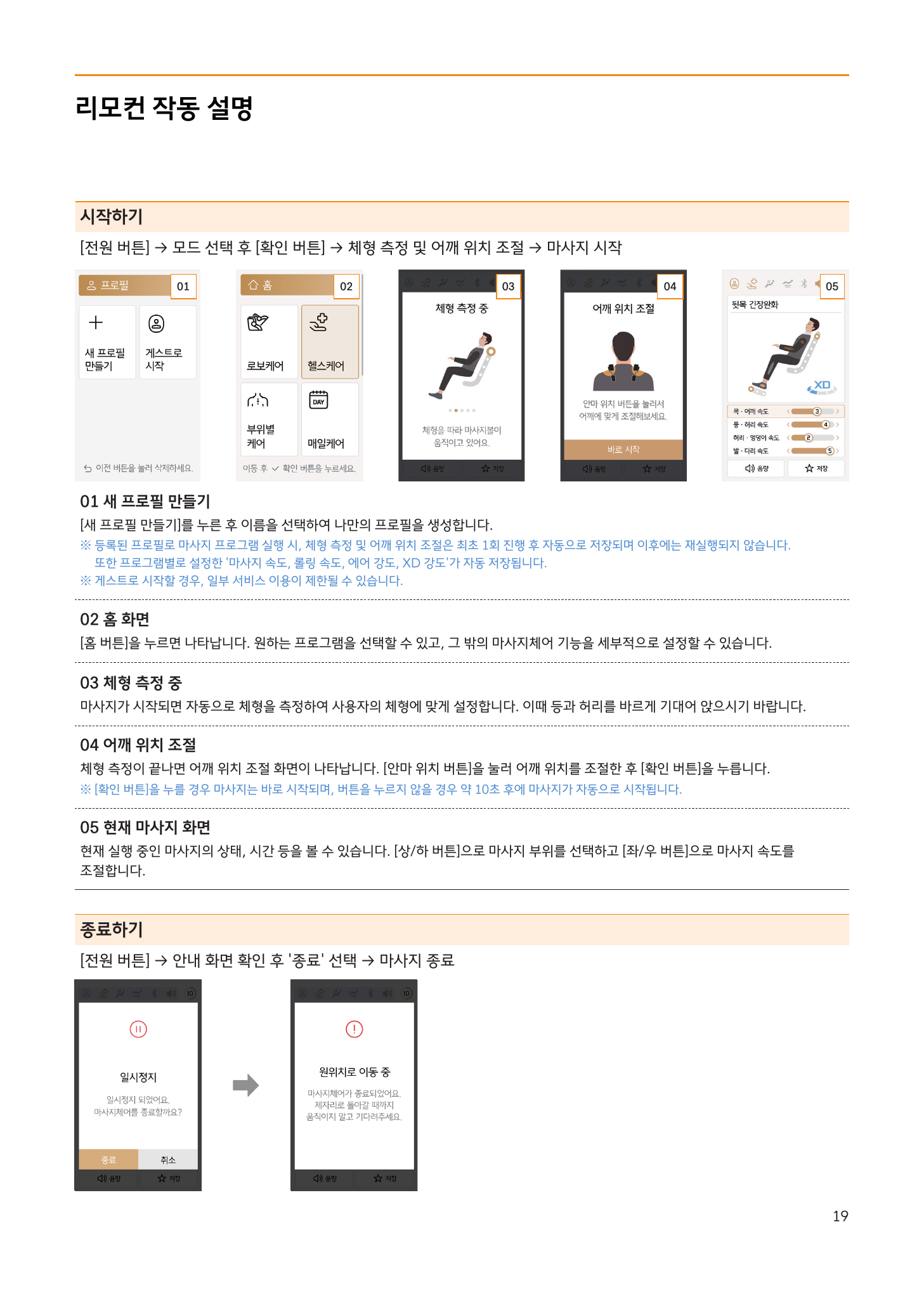
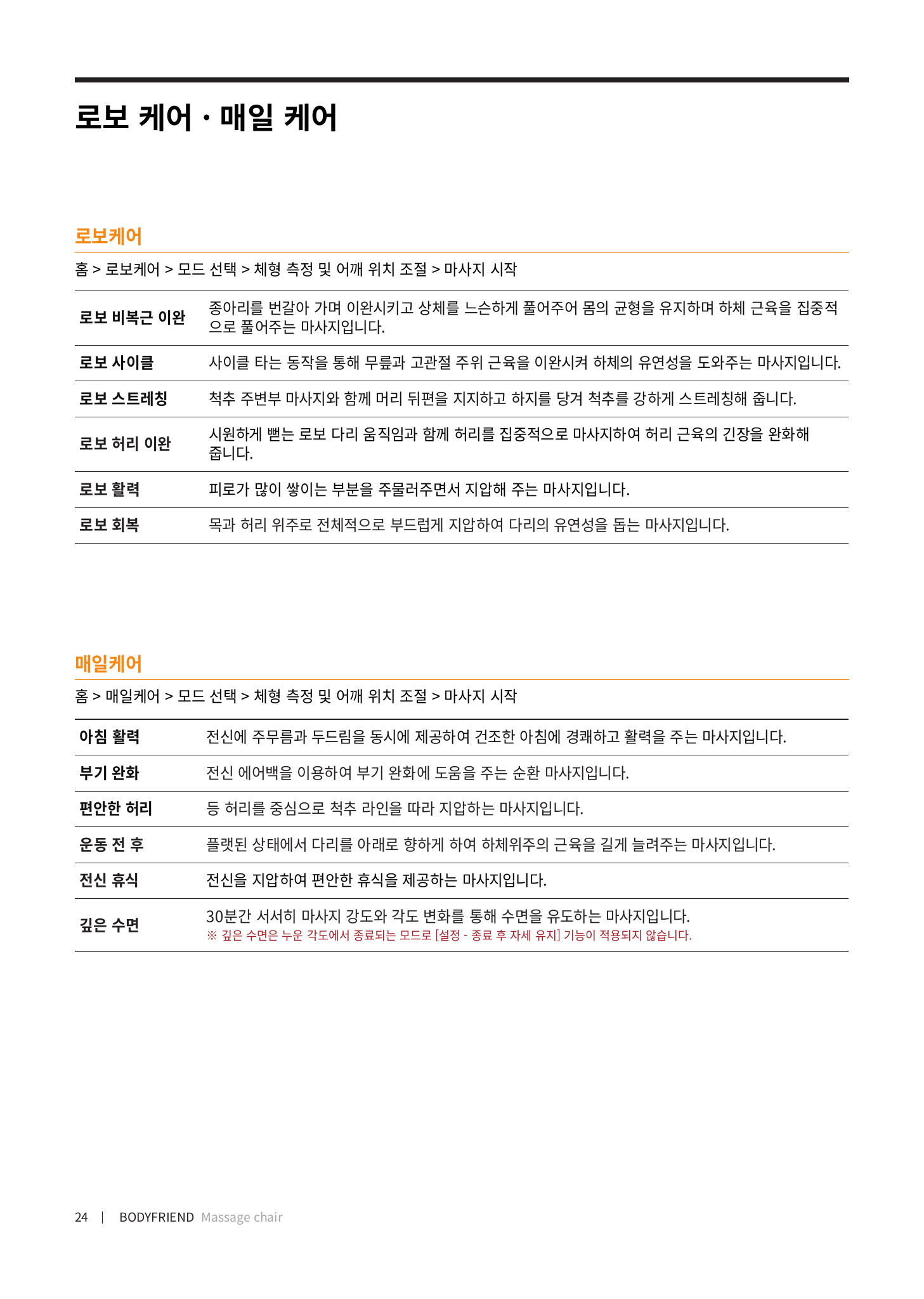
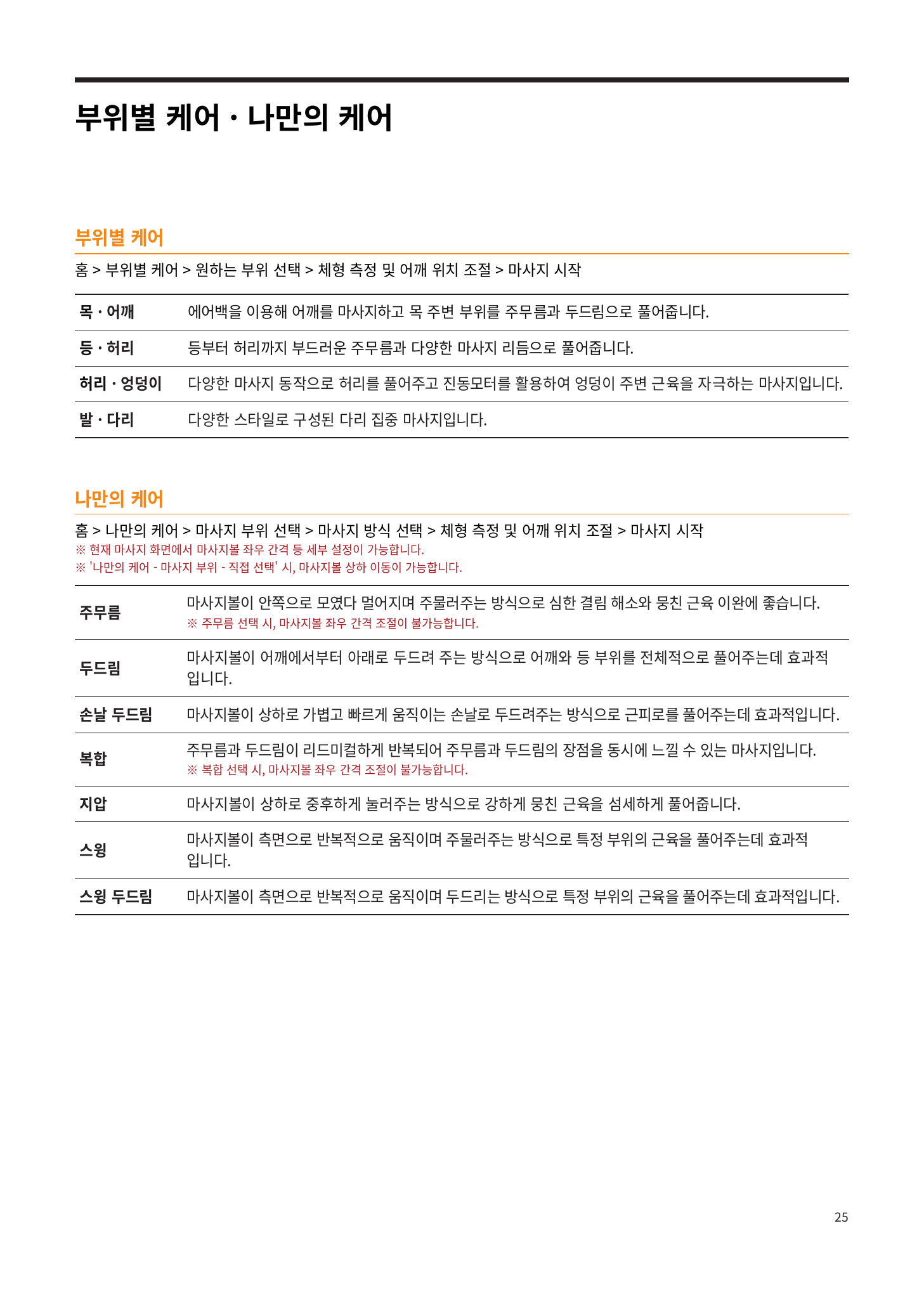
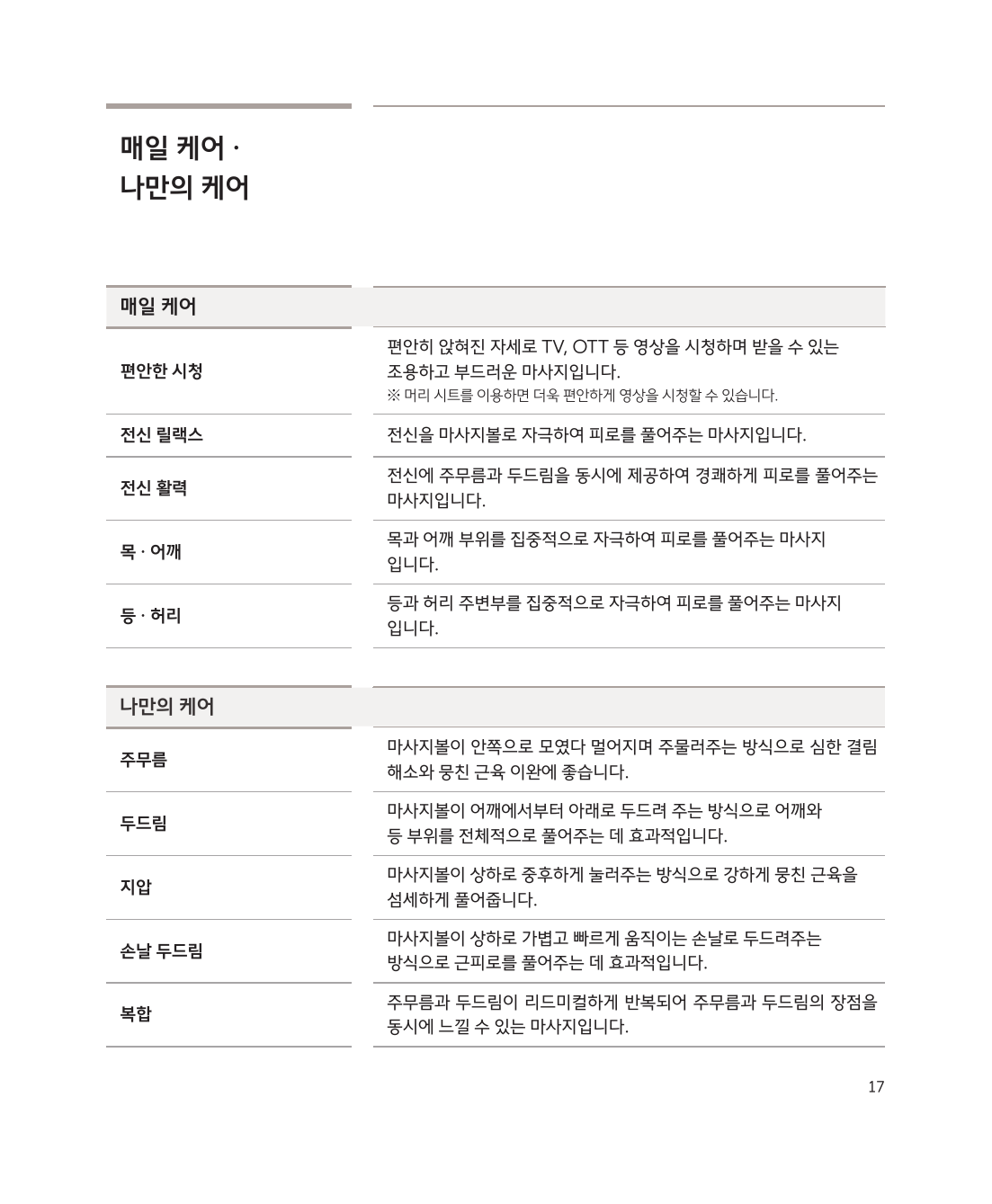
Auto Programs
| Program | Description |
|---|---|
| Robo Care | AI-based personalized full-body massage |
| Health Care | Massage focused on wellness care |
| Targeted Care | Focused care for specific areas such as the neck, shoulders, or lower back |
| Daily Care | A light course ideal for everyday use |
| My Care | Customize the massage area, technique, and intensity yourself |
| Mental Care | A relaxation mode for calming body and mind |
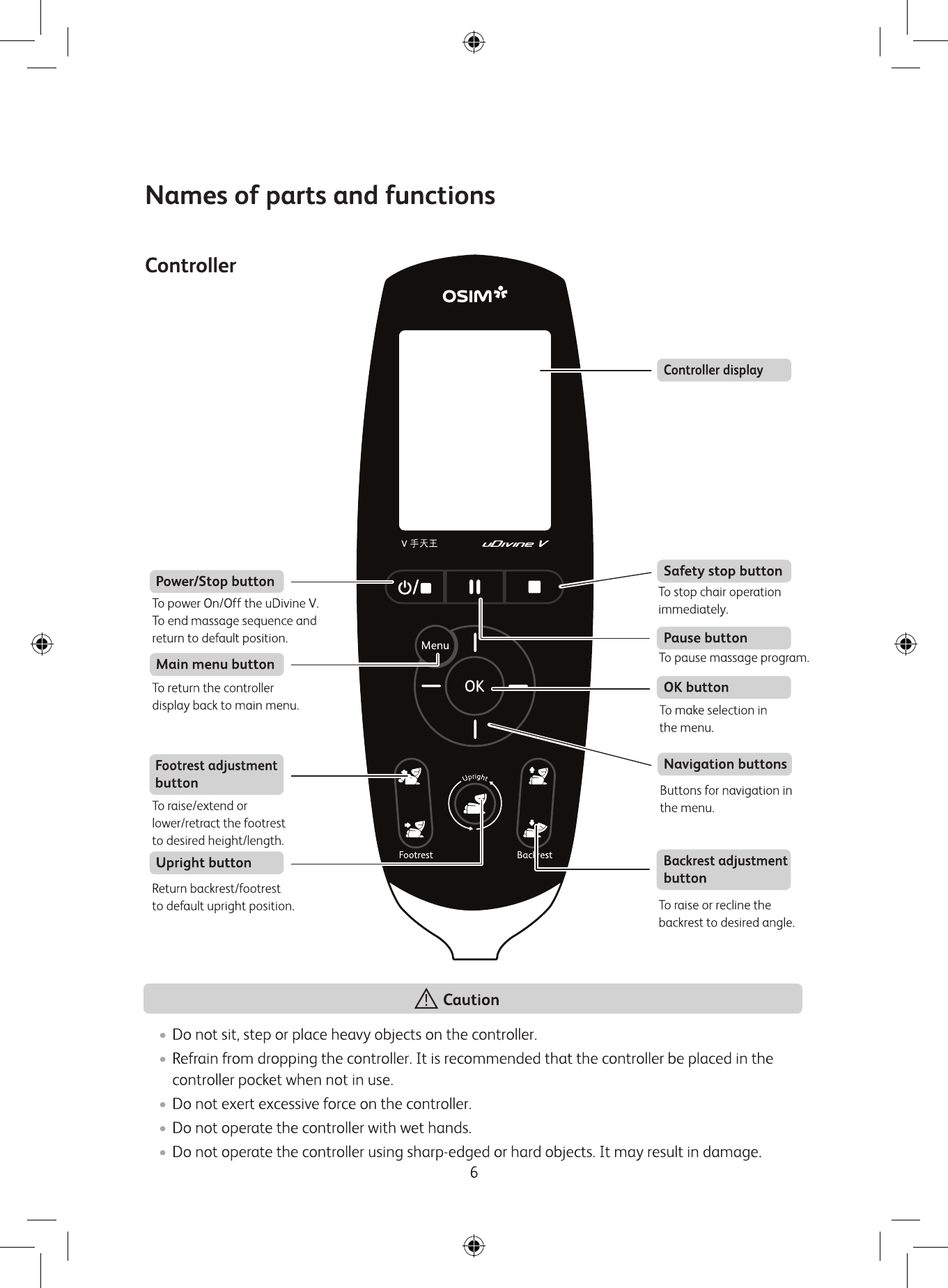
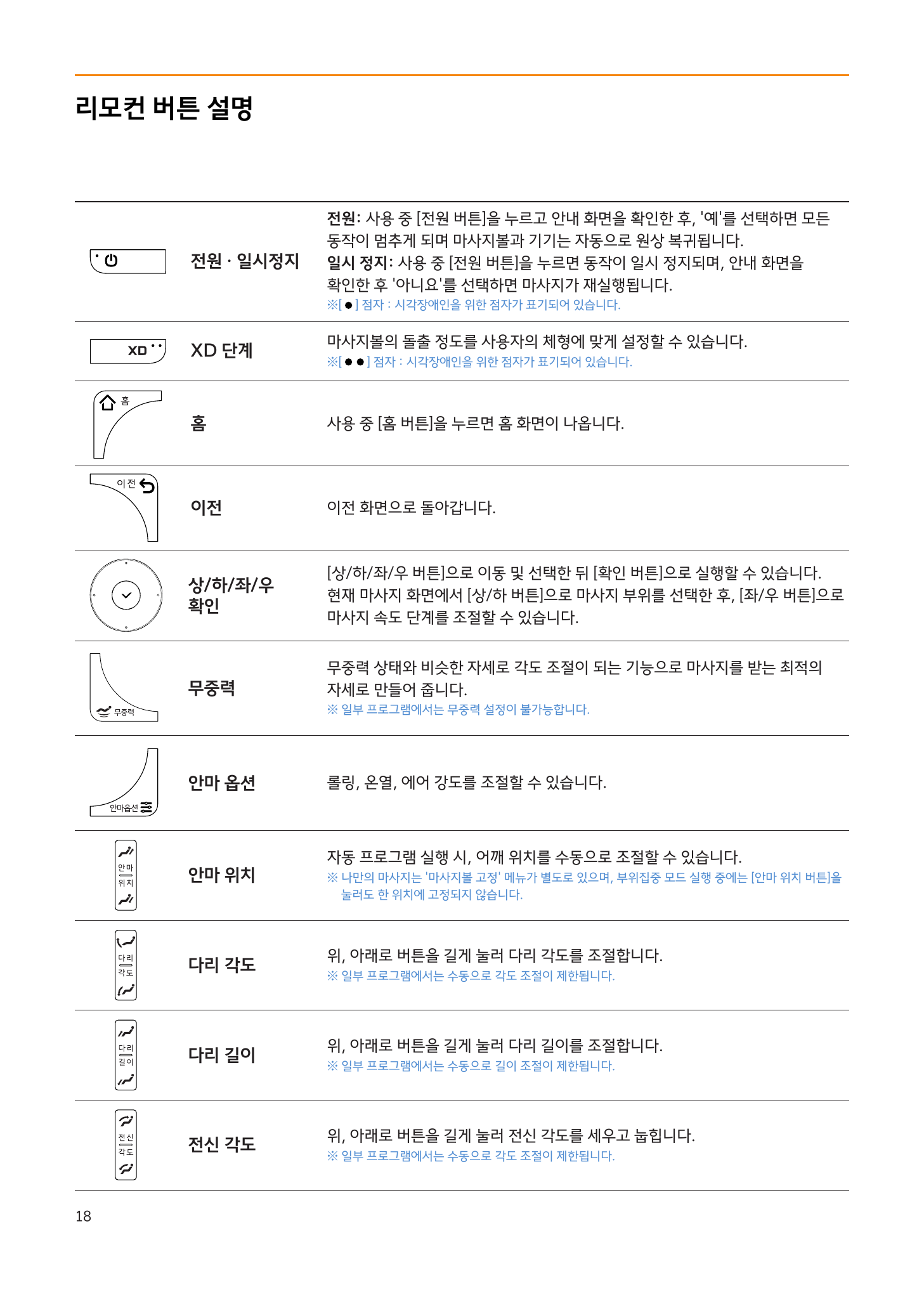
Main Remote Buttons
| Button | Function |
|---|---|
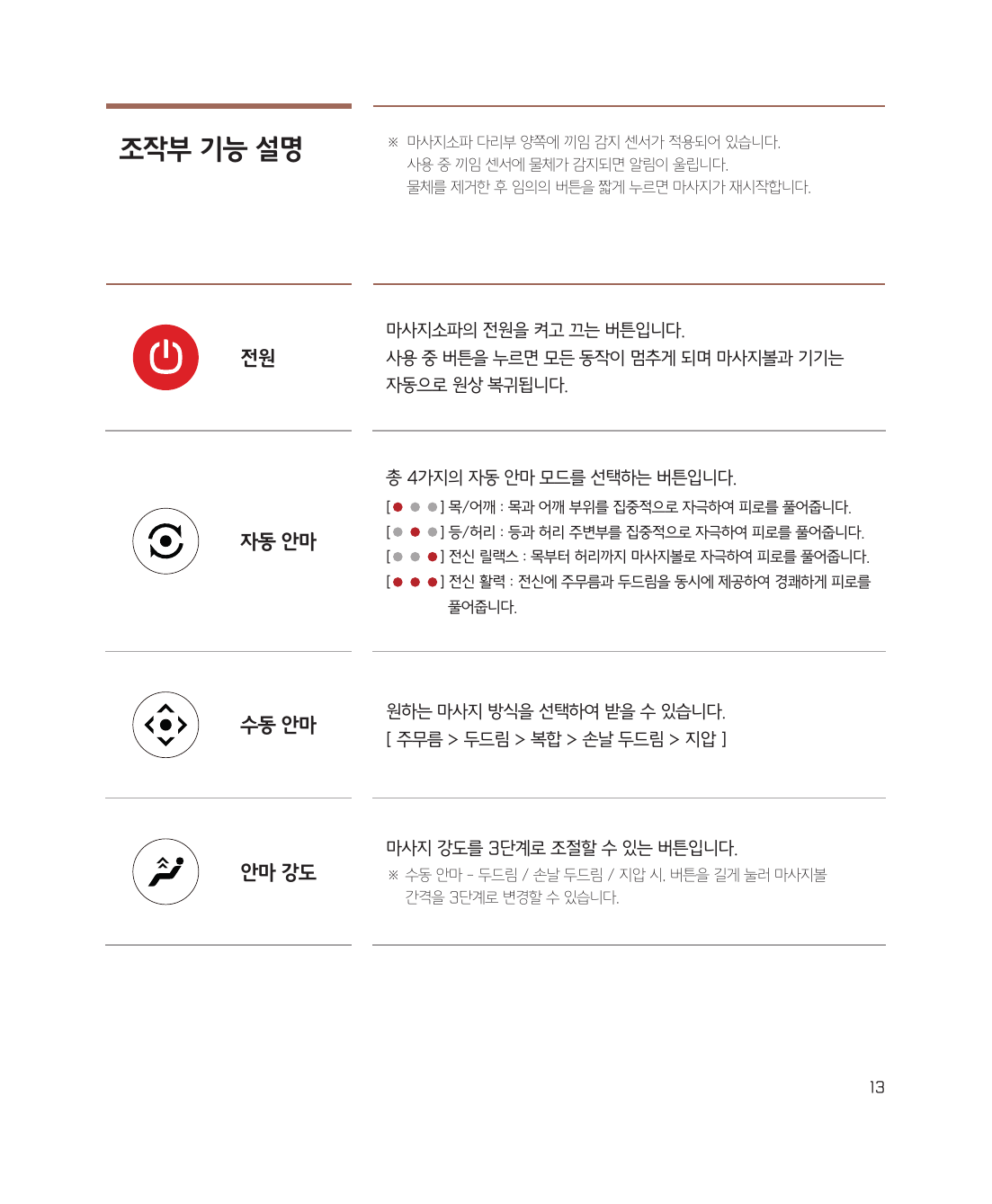
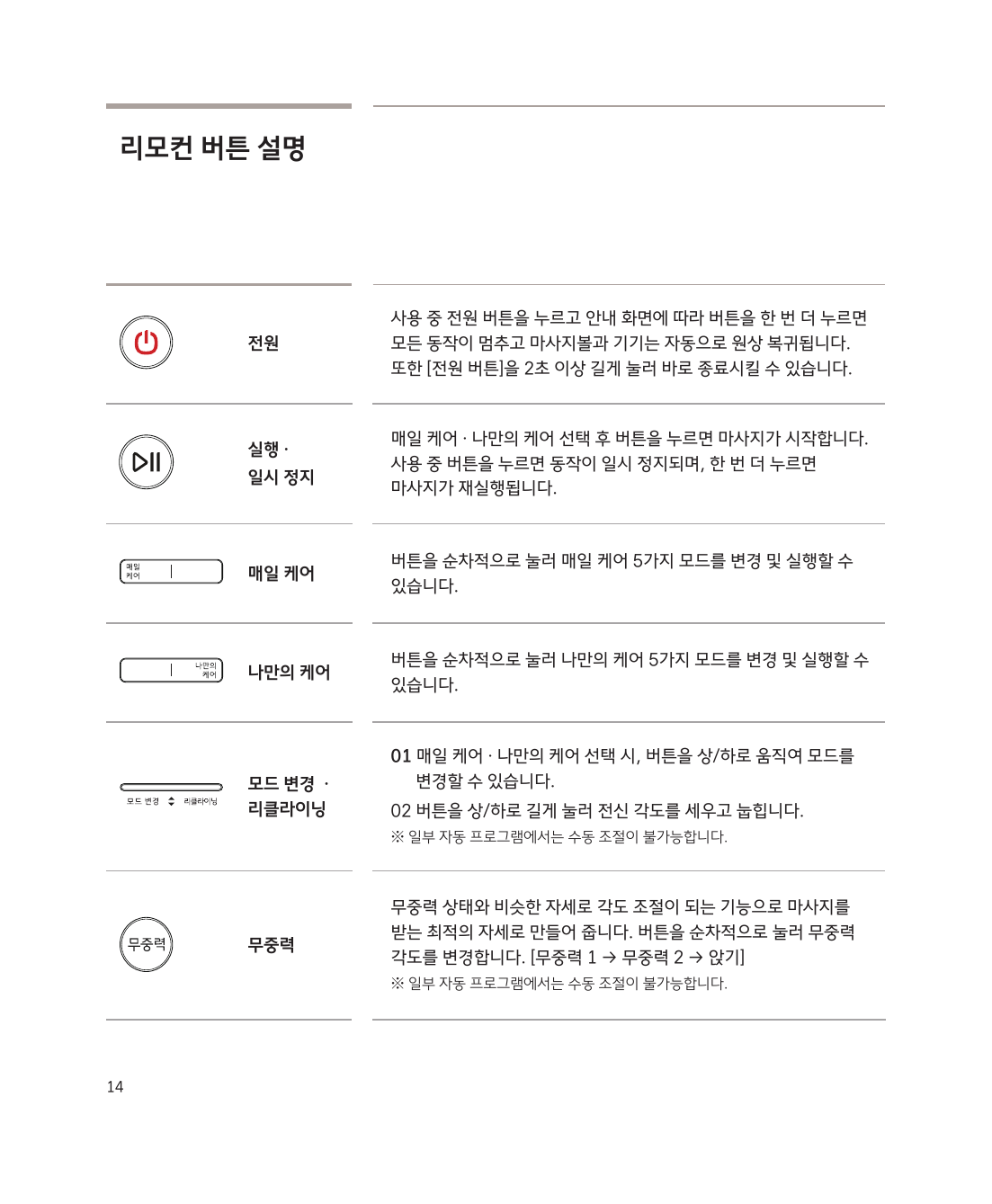
| Power | Short press = Pause, long press = Power off |
| Home | Go to the home screen |
| Up/Down/Left/Right + OK | Navigate menus and make selections |
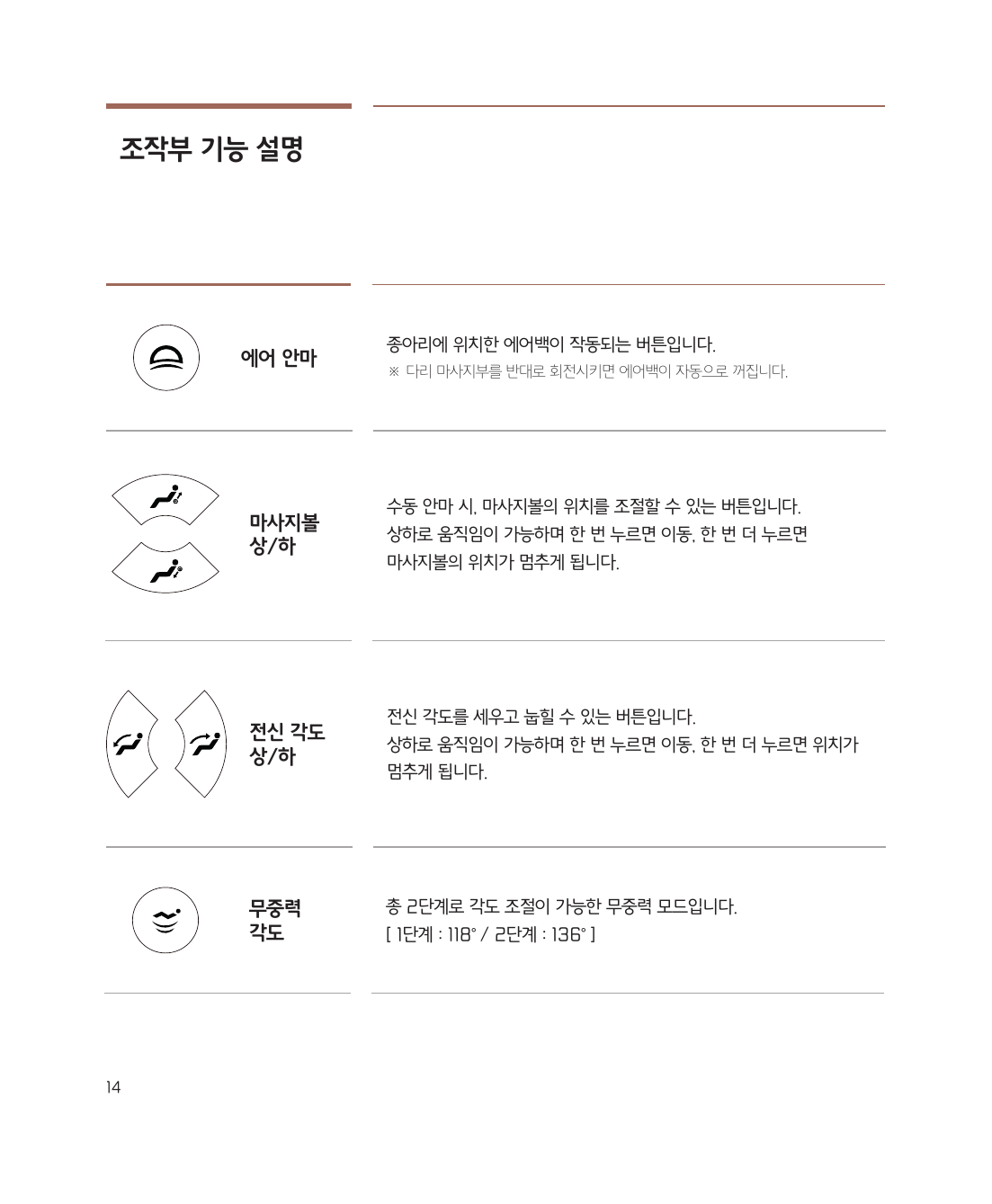
| Zero Gravity | Adjusts the angle for the optimal massage position |
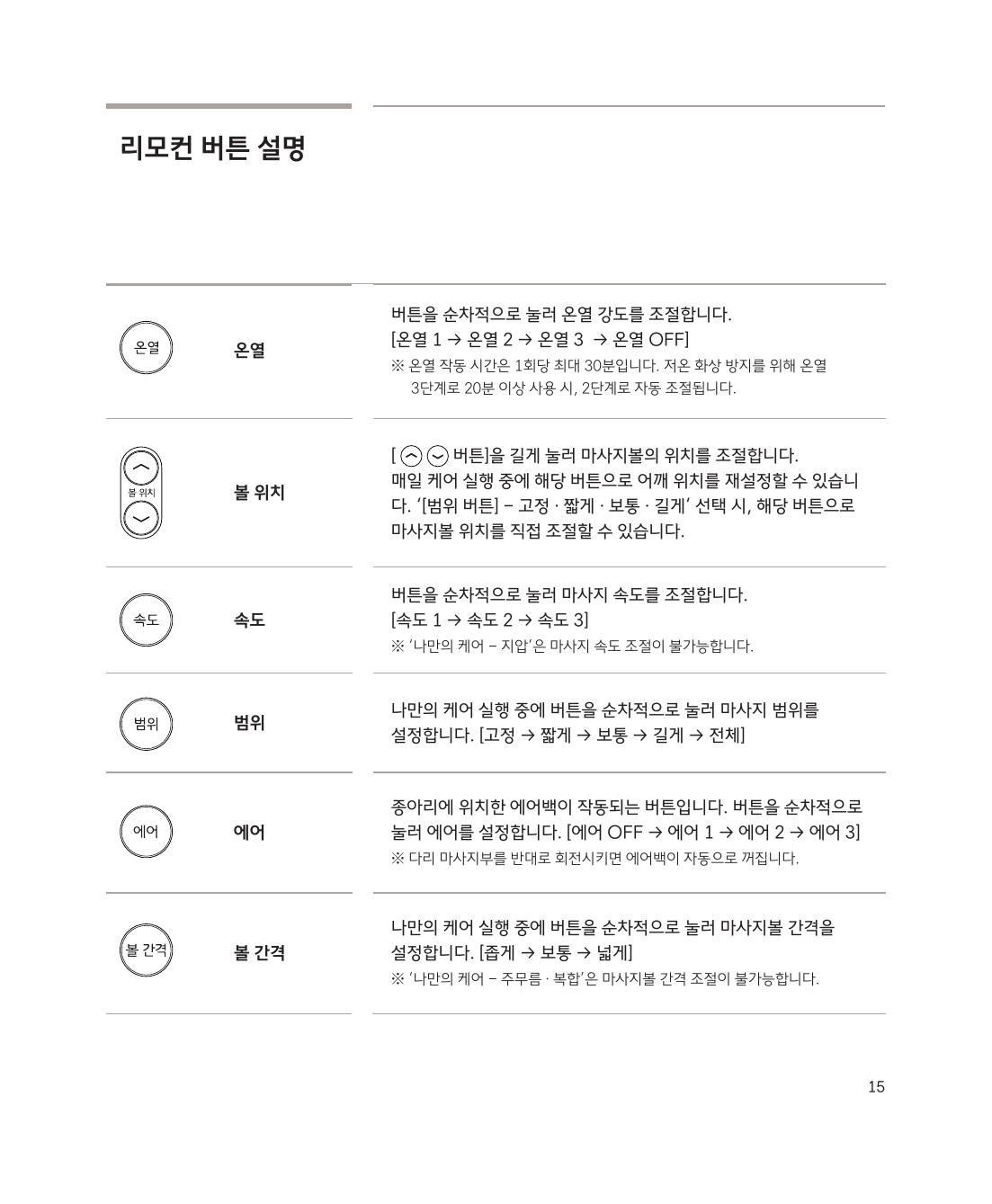
| XD Level | Massage ball protrusion intensity (tailored to body type) |
| Massage Position | Re-adjust shoulder position |
| Massage Options | Adjust rolling, heat, and air intensity |
| Leg Angle/Length | Adjust the leg section |
| Full-Body Angle | Raise or recline the backrest |
Adjusting Massage Speed
During the massage, use the Up/Down buttons to select an area → Use the Left/Right buttons to adjust the speed
Powering Off
Press the power button → Select 'Power Off' on the guide screen → The chair will automatically return to its original position
Caution: Please get off only after the chair has fully returned to its original position.